How to Use Google Maps On Self Drive Safari In Uganda
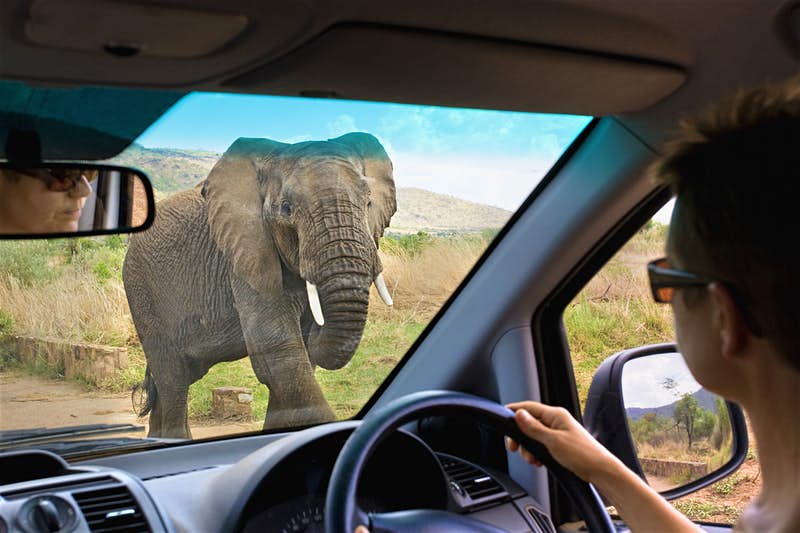
If you are planning a self‑drive safari in Uganda, Google Maps can become your best road‑trip companion, but only if you use it the right way. At 4×4 Rent A Car Uganda, we always advise travelers to be well prepared, because Uganda’s road network varies dramatically, and many of the most magical places are off the beaten track.
First, before you even leave Kampala, download offline maps on Google Maps. In many safari areas especially in national parks or rural regions mobile data is unreliable or absent. By saving offline areas (for example, Queen Elizabeth National Park, Murchison Falls, Bwindi, or Kidepo), you ensure you always have a map to guide you, even without internet.
When planning your route, identify and pin key locations: park entry gates, fuel stations, lodges, campsites, and ranger posts. Enter these into Google Maps in advance. That way, even if you’re disconnected, you can still navigate confidently using the offline map. During the drive, make sure your phone’s GPS is turned on. GPS works independently from mobile data, so it will help keep you on track even in remote terrain. But don’t blindly trust turn‑by‑turn directions: Google Maps doesn’t always recognize rough dirt tracks, seasonal detours, or unpaved tracks in Uganda’s national parks.
In areas where Google Maps is less accurate, it is smart to supplement with local advice. Ask park rangers, lodge staff or other drivers for recommendations or confirmation if you are not sure about a route. Many experienced self‑drive travelers also carry a physical map or detailed printed route plan, just in case.
Also consider battery life: navigating with GPS drains power, so bring a power bank or car charger. If your phone dies, having the offline map still gives you directions. When you are on paved or main roads, Google Maps is very reliable. These are typically the major highways in Uganda, like the roads from Kampala to major national parks. But once you leave those roads, especially during rainy season, road conditions can change, and Google’s route may not reflect real‑time road quality.
Safety is also important. Avoid driving at night, many roads outside cities are poorly lit, and wildlife or road hazards may not be visible. Also, always save emergency contacts (for example, your 4×4 rental company, local mechanics, park rangers) in your phone. For a smoother self‑drive experience, combine Google Maps with other tools: offline map apps (like Maps.me) or even a standalone GPS device can be very helpful.
Finally, remember that driving rules in Uganda are different than in some countries. You drive on the left side, so make sure you’re comfortable with that. Make sure your international driving permit (or valid license) is with you, as well as your car rental documents and insurance.
By using Google Maps smartly, downloading offline maps, pre‑saving important destinations, keeping GPS on, and combining digital tools with local guidance, you can confidently navigate Uganda’s diverse landscapes on your self‑drive safari. This gives you the freedom to explore national parks like Murchison Falls, Queen Elizabeth National Park, Bwindi Impenetrable Forest, and other remote places at your own pace.
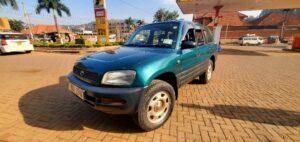
If you are ready to start your adventure, contact us now at 4×4 Rent A Car Uganda today to book a reliable 4×4 car (perfect for rough terrain), and get local tips on the best self drive routes. Reach us via email or whatsapp us at info@4x4rentacaruganda.com, we are here to help you prepare an unforgettable Ugandan road trip with safety, exploration, and flexibility at the heart.